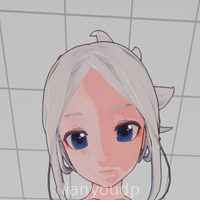
About JOI Lab VR
Strapping on a headset and actually reaching out with your hands changes how a mobile game feels, especially when everything happens in a compact virtual lab. JOI Lab VR leans into that feeling, turning your phone and supported VR gear into a small sandbox where you can poke around, experiment, and simply enjoy the sensation of interacting in 3D space.
Instead of drowning you in menus, the focus sits on looking, grabbing, and playing with objects around you, using natural motions that quickly start to feel familiar.
JOI Lab VR Game Features
1. Full VR hand interaction: Use tracked hand controls to reach, grab, and manipulate objects directly in front of you.
2. Compact lab environment: Explore a focused virtual room designed around close-up interaction instead of big open maps.
3. Simple visual style: Clean 3D graphics keep the frame rate stable on most Android VR setups.
4. Intuitive gaze and motion controls: Combine head movement with hand gestures so you rarely need clunky on-screen buttons.
5. Short-session friendly design: Jump in for a few minutes at a time without needing to follow a long story or complex objectives.
6. Designed for Android VR: Built specifically with mobile VR limitations and strengths in mind.
JOI Lab VR Game Highlights
🎮 Natural hand feel - Gestures like pointing, grabbing, and moving items quickly start to feel second nature after a short learning curve.
🧪 Lab-style setting - The single-room lab layout makes it easy to keep track of objects and focus on interaction instead of navigation.
⚙️ Lightweight performance - The game keeps things visually simple so even mid-range Android phones with VR support can handle it.
🔊 Focused sound design - Subtle audio cues help you tell when you have picked something up or interacted correctly.
🧭 Low learning barrier - Most players can figure out the basics just by looking around and experimenting, without reading long tutorials.
⏱ Occasional clunkiness - Hand tracking can misread fast movements, so patience and slower gestures tend to work better.
JOI Lab VR Gameplay
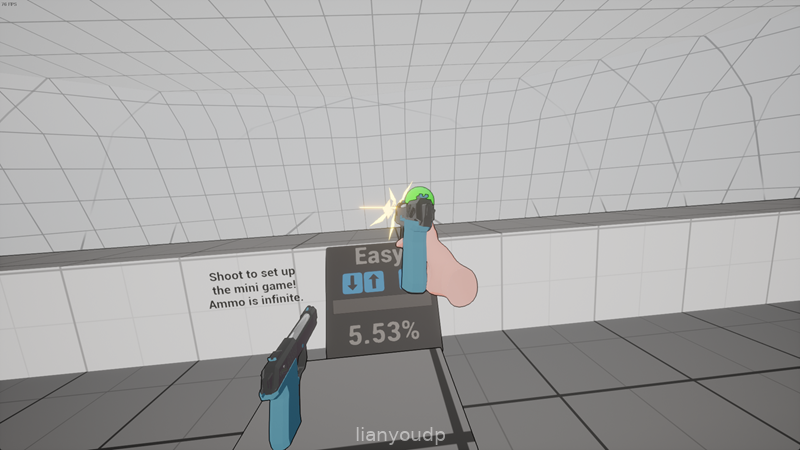
Look around the lab with your head movement, then bring your hands into view to see how the game tracks them and responds.
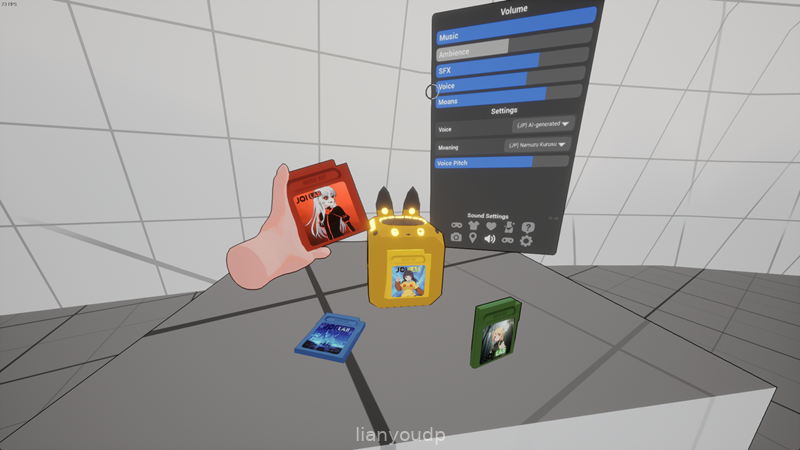
Reach toward nearby objects and close your grip to pick them up, adjusting your hand angle to inspect them from different sides.
Move items around the lab, place them on surfaces, and test how the environment reacts to your actions.
Experiment with slower, deliberate motions first, then gradually speed up as you understand how the tracking behaves.
Use short sessions to avoid VR fatigue, especially on phones that heat up quickly or have heavier headsets attached.
Expect an occasional delay or jitter in motion on older hardware, and tweak your play style to smoother, more controlled gestures.
JOI Lab VR Conclusion
JOI Lab VR feels like a small playground for anyone curious about hand-based VR interaction on Android rather than a huge story-driven project. The lab setting, simple visuals, and direct controls make it easy to tinker for a few minutes at a time, though occasional tracking hiccups and hardware limitations can show up on weaker phones. For casual VR fans who just want to experiment with virtual hands in a contained space, it is a neat little download that fits well into short breaks during the day.
Frequently Asked Questions
Does JOI Lab VR require a specific VR headset on Android?
Can JOI Lab VR be played without VR mode enabled?
Will JOI Lab VR run smoothly on older Android phones?
Screenshots









Reviews & Comments