About Guard VPN - Fast & Proxy VPN
Public Wi‑Fi at cafes, airports or hotels can feel convenient but risky when you need to log in to apps or check sensitive accounts. A lightweight VPN on your phone can reduce that stress by encrypting traffic and masking your IP with a single tap.
From first launch, Guard VPN - Fast & Proxy VPN focuses on getting you connected quickly rather than overwhelming you with settings. The app keeps things simple: choose a server, tap connect, and your Android traffic is routed through an encrypted tunnel.
Guard VPN - Fast & Proxy VPN App Features
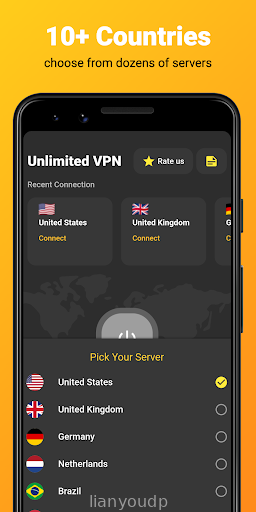
Quick server selection -> Lets you pick a region or recommended server in a couple of taps, so you spend less time configuring and more time browsing.
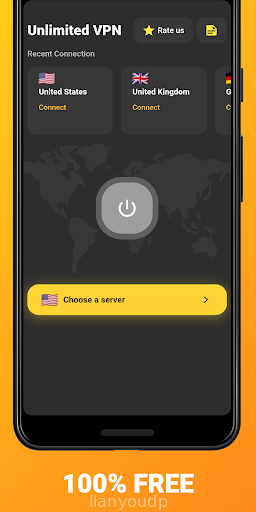
One-tap connection -> Starts or stops the VPN with a single button, which is handy when you just want protection on public Wi‑Fi without digging through menus.
Encrypted traffic -> Routes your data through secure tunnels to help keep browsing, messaging and app logins away from casual snooping on shared networks.
Multiple proxy locations -> Offers different server locations so you can choose routes that feel faster for your area or better suited to your apps.
Background operation -> Keeps the connection active while you switch between apps, reducing the chance of accidentally using the internet without protection.
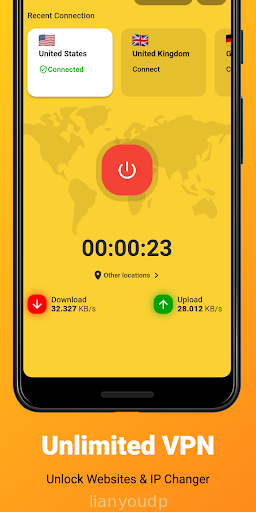
Simple status indicators -> Shows clear connection status and current server so you can quickly see whether the VPN is active before opening sensitive apps.
Guard VPN - Fast & Proxy VPN App Highlights
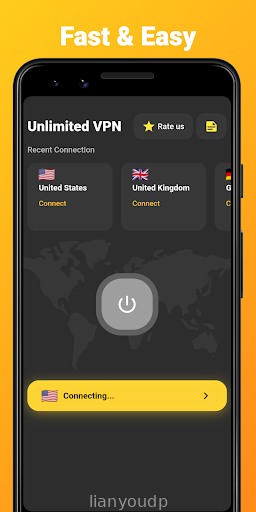
🚀 Clean interface - Uses a straightforward layout with a central connect button and minimal clutter, which makes it easier for new users to understand.
🛡️ Focus on privacy basics - Concentrates on encryption and IP masking, covering the core needs of people who just want safer browsing on shared networks.
⚡ Fast connect times - In many cases the app establishes a tunnel in a few seconds, so turning protection on before joining Wi‑Fi does not feel like a chore.
🌍 Handy for travel - Being able to switch between several regions helps when hotel or airport Wi‑Fi behaves differently with certain routes.
📱 Low learning curve - Most options are self-explanatory, so there is little need to study tutorials before feeling comfortable with daily use.
💬 Some ad interruptions - Ads may appear during use, which can break the flow slightly, especially when you are just trying to connect quickly.
Guard VPN - Fast & Proxy VPN App Usage
Start by opening Guard VPN - Fast & Proxy VPN and checking the main screen, where the large connect button and current server are displayed prominently.
Choose a server location if you want something specific, then tap connect and wait for the status indicator to confirm that the VPN tunnel is active.
Leave the app running in the background while you open browsers, social apps or banking tools, relying on the persistent notification to confirm protection.
Switch servers when speeds feel slow by returning to the app, disconnecting, selecting a different region and reconnecting to test performance.
Toggle the VPN off when you no longer need encrypted traffic, for example when you return home to a trusted network and prefer maximum raw speed.
Check settings occasionally for options such as auto-connect on Wi‑Fi or startup behavior, though advanced tuning is intentionally kept limited.
Guard VPN - Fast & Proxy VPN Conclusion
Guard VPN - Fast & Proxy VPN suits Android users who want a straightforward way to add a layer of privacy on public and shared networks without managing complex profiles. Connection speed is generally reasonable, the layout is easy to read, and one-tap control makes it practical for quick sessions before logging into important accounts. Ads and a relatively basic feature set may put off power users who expect fine-grained controls, but for everyday browsing security on phones and tablets, it is a simple tool that does the essentials reliably enough for regular use.
Frequently Asked Questions
Does Guard VPN - Fast & Proxy VPN work on mobile data as well as Wi‑Fi?
Can I use Guard VPN - Fast & Proxy VPN to stay protected on public hotspots?
Does Guard VPN - Fast & Proxy VPN store my browsing history on the device?
Screenshots








Reviews & Comments