
About Emi
On a quiet evening when you want something lighter than a full RPG but more engaging than scrolling social feeds, a short visual novel can be a good middle ground. Emi aims to offer that kind of relaxed experience, focusing on story and dialogue rather than fast reactions.
From the first launch, the presentation feels closer to a digital comic than a traditional game, with static scenes, text boxes and character portraits carrying most of the weight. Sessions tend to be short, making it easy to pick up for a few minutes at a time without losing the thread of the plot.
Emi Game Features
Character-focused storytelling -> Most of the experience revolves around getting to know Emi and a small cast through conversations and internal monologue.
Simple tap controls -> Progressing the story only needs taps to advance dialogue or make occasional choices, so it works well on smaller screens.
Lightweight installation -> The game uses modest visuals and sound, so it runs smoothly on older or budget Android devices.
Offline-friendly design -> Once installed, the story can be read without a constant data connection, which suits commutes or flights.
Save and resume -> Progress is stored automatically at key points, letting you close the app mid-scene and return without replaying long sections.
Emi Game Highlights
🚀 Intimate atmosphere - Backgrounds, music and pacing create a calm tone that feels more like reading a short story than grinding levels.
🎮 Low learning curve - There are no complex systems to understand, so new players can focus on the narrative from the first minute.
📖 Compact story length - The plot can be finished in a relatively short time, making it suitable for a weekend or a couple of evenings.
✨ Focus on text and emotion - Dialogues and thoughts do the heavy lifting, which may appeal to players who enjoy reading-heavy games.
🔔 Minimal HUD clutter - The interface keeps buttons and icons to a minimum, letting the artwork and text remain central.
🎧 Quiet audio backdrop - Subtle sound design supports the scenes without becoming distracting, though some might wish for more variety.
Emi Gameplay
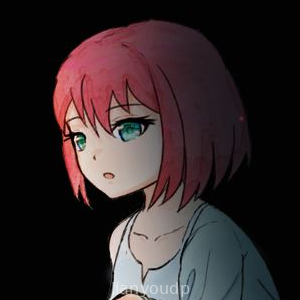
Start by launching the game and waiting through a brief title screen before the first scene fades in, introducing Emi and the initial setting through on-screen text.
Advance each line of dialogue with a tap on the screen, watching character portraits and backgrounds shift as the conversation moves forward.
Respond to occasional choice prompts by selecting one of the available options, slightly steering how Emi reacts or how others respond to her.
Pause during natural scene breaks when you need to step away, relying on the auto-save system to remember where you left off.
Return later and continue reading from the same point, getting through the story in several short sessions rather than a single long sitting.
Notice that some scenes reuse backgrounds and poses, which keeps the download size small but can make the presentation feel a bit repetitive over time.
Emi Conclusion
Emi leans heavily into the strengths of visual novels: straightforward controls, a clear focus on characters, and a story that can be completed without a big time investment. The modest production values and limited visual variety are noticeable, yet they also mean the game remains accessible on almost any Android phone and does not demand much from the player.
Readers who enjoy narrative-driven experiences and want something short, quiet and offline-capable will likely get the most from Emi. It is easy to recommend as a small, self-contained story when you have spare moments and want a change of pace from more demanding mobile games.
Frequently Asked Questions
Does Emi require an internet connection to play?
How long does it take to finish the Emi visual novel?
Are there complex choices or multiple endings in Emi?
Screenshots










Reviews & Comments